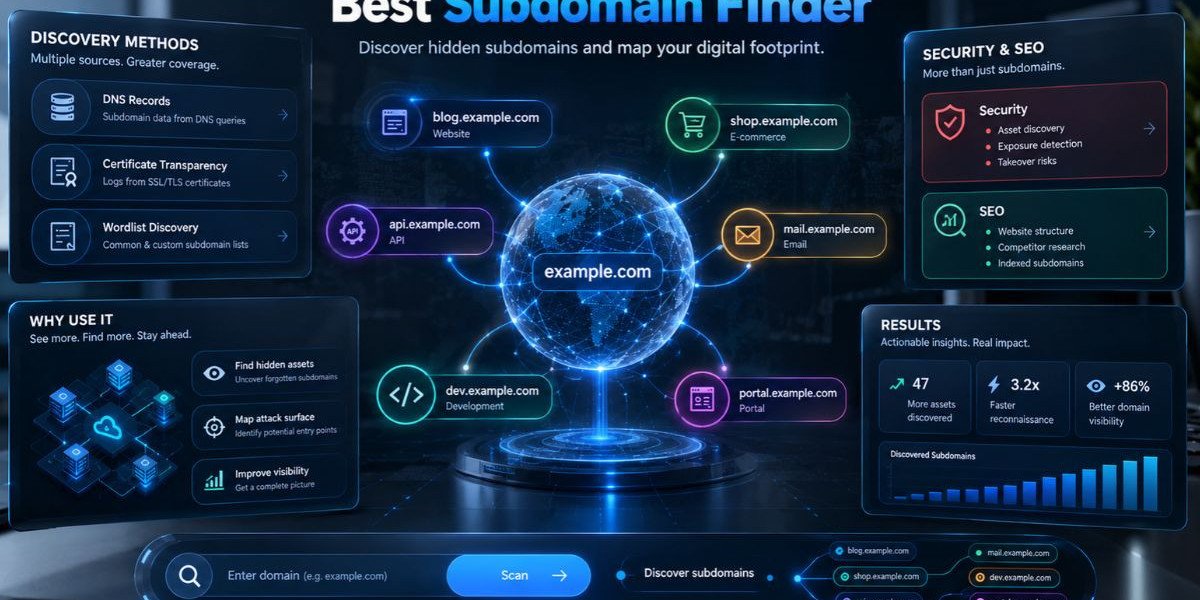

Every domain has more doors than its homepage suggests. Staging sites, test servers, old campaign pages and forgotten admin panels all sit on subdomains and many of them outlive the projects that created them. If your team cannot list them, your team cannot protect them.The best subdomain finder is the one that matches your job. A bug bounty hunter needs depth and speed. An MSSP analyst needs repeatable results across many client domains. An IT manager just wants a fast answer to "what is out there with our name on it?" A free online subdomain finder can answer that last question in minutes, while heavier command-line tools suit longer engagements.
This guide explains what a subdomain finder does, how the different methods work and how to find subdomains of a domain step by step. It also compares ten popular tools, covers the features that matter and flags the mistakes that lead to blind spots. By the end, you should be able to pick the best subdomain finder for your workflow without testing ten tools first.
What Is a Subdomain Finder?
A subdomain finder is a tool that discovers the subdomains attached to a domain name, such as mail.example.com or staging.example.com. It collects them from public sources like DNS records and certificate transparency logs, or by guessing common names and returns a list you can review.
You will see the same idea sold under different names: subdomain scanner, subdomain enumeration tool, subdomain discovery tool, subdomain lookup and subdomain checker. They overlap heavily. Some tools only query public data. Others actively send DNS requests to test guesses. The label matters less than the method, which is why the next section looks at how these tools actually work.
A subdomain finder is not a vulnerability scanner. It tells you which hostnames exist. What you do next, such as checking what runs on them and who owns them, is a separate step.
Subdomain Finder vs Subdomain Scanner
In everyday use, the two terms mean nearly the same thing. If there is a difference, it is usually this: a finder focuses on building the list of names, while a scanner may go further and probe each host to see whether it responds. When you compare tools, read the description rather than trusting the name.
How a Subdomain Finder Works
A subdomain finder works by gathering hostnames from several sources and combining them. The main sources are certificate transparency logs, public DNS data, search engines and other OSINT sources and wordlist-based guessing. Good tools use more than one, because each source misses things the others catch.
Certificate Transparency Logs
When a certificate authority issues a publicly trusted TLS certificate, the certificate is recorded in public logs. Those records often list the hostnames the certificate covers. Searching the logs for a domain therefore reveals many subdomains, including ones that never appear in a search engine. This is passive reconnaissance, since you never touch the target.
Public DNS Records
DNS data holds more than people expect. Record types such as A, AAAA, CNAME, MX and NS can reveal hostnames and the services behind them. Passive DNS databases also keep historical records, which helps you spot hosts that existed last year and might still resolve today.
Search Engines and OSINT Sources
Search engines, code repositories and public datasets sometimes expose subdomains through links, scripts and documentation. Open-source intelligence, or OSINT, tools query these sources automatically and merge the results.
Brute-Forcing With Wordlists
Brute-forcing means trying a long list of likely names, such as dev, test, vpn, api and staging, against a domain and keeping the ones that resolve. This is active enumeration. It can find hosts that never appeared in a certificate or a public record, but it creates DNS traffic and takes longer. Results are only as good as the wordlist.
Handling Wildcard DNS
Some domains use wildcard DNS, which means any name you try resolves to an answer. A naive brute-force run against such a domain returns thousands of false positives. Strong tools detect wildcards and filter those answers out. If a tool floods you with results for a small company, a wildcard is a likely cause.
How to Find Subdomains of a Domain Step by Step
To find all subdomains of a domain, start with passive sources, add active checks only where you are authorized, then merge, resolve and verify the results. No single method finds everything, so the process matters more than any one tool. The steps below work for a security review, a client audit, or a bug bounty scope check.
Confirm scope and permission. Write down the root domains you are allowed to test. Passive lookups use public data, but active guessing against infrastructure you do not manage needs authorization.
Start passive. Search certificate transparency logs and public DNS sources first. This is quiet, fast and usually returns the bulk of the list.
Run a subdomain finder. Enter the root domain into a tool that combines several public sources. Pick the best subdomain finder for your first pass. The free tool from Mispar, for example, checks public DNS records, certificate logs and known naming patterns and it does not require a signup. Use it as a quick first pass before heavier tooling.
Add a second or third source. Run a command-line tool such as Subfinder or Amass, or query a database like SecurityTrails or VirusTotal. Different tools pull from different places, so overlap is normal and gaps are the point.
Brute-force carefully. If you have permission, run a wordlist against the domain. Use a wordlist suited to the target and check for wildcard DNS before you trust the results.
Merge and deduplicate. Combine every list into one file, remove duplicates and normalize cases.
Resolve and probe. Check which names actually resolve and which respond over HTTP or HTTPS. A name that no longer resolves may still be a dangling record worth reviewing.
Triage the list. Compare it with what the owner expects. Unknown hosts, old test environments and anything running outdated software go to the top of the queue.
Repeat on a schedule. New subdomains appear whenever a team launches a page or spins up a test environment. A one-time scan goes stale quickly.
The Mispar tool page itself offers the same advice: no tool finds every subdomain, so treat the output as a starting point rather than a finished audit.
Passive vs Active Enumeration
Passive enumeration collects subdomains from existing public data without contacting the target, while active enumeration sends queries or guesses to find names directly. Passive is quiet and safe to run broadly. Active is deeper but noisier and it needs permission.
Here is how they compare in practice:
Passive enumeration uses certificate transparency logs, passive DNS, search engines and OSINT datasets. It leaves little or no trace on the target and runs quickly.
Active enumeration uses brute-forcing, permutations of known names and DNS queries against the target's name servers. It can uncover hosts that no public source knows about, but it generates traffic that defenders may see.
Most professionals combine both: passive first to build a baseline, then targeted active checks to fill gaps.
If you are picking one approach for a quick, low-risk check, go passive. If you are working on a scoped penetration test, you will want both.
Why Security Teams and MSSPs Need a Subdomain Finder
Security teams need a subdomain finder because you cannot defend what you cannot see. Subdomains expand the external attack surface and many are created outside normal change control. A reliable list shows which assets exist, which are forgotten and which deserve attention first.
Shadow IT and Forgotten Assets
Marketing teams launch microsites. Developers spin up test servers. A vendor sets up a branded portal. Each one adds a hostname and few teams track them after launch. This is shadow IT in its simplest form. A regular subdomain check brings these assets back into inventory.
Attack Surface Management
Attackers often start with reconnaissance and subdomain discovery is one of the first steps. Defenders who run the same discovery see roughly what an attacker would see. That makes subdomain enumeration a core part of external attack surface management.
Value for MSSPs and MDR Providers
For an MSSP, the problem repeats for every client. Each client domain may hide a different mix of staging servers, legacy portals and third-party services. A repeatable enumeration routine lets analysts build a baseline per client, spot changes and bring concrete findings into client conversations. It also gives account teams something practical to show during onboarding.
Bug Bounty and Penetration Testing
Testers use subdomain finders to widen scope within the rules of a program or engagement. Less obvious hosts often get less attention than the main site, which is why enumeration tends to come first in a recon workflow.
Support for SEO and Site Ownership Reviews
SEO teams use the same lists to find stray subdomains that duplicate content, leak staging pages into search results, or point at retired services. A subdomain finder for SEO and a subdomain finder for security answer the same basic question: what hostnames exist under this brand?
Key Features to Look For in the Best Subdomain Finder
The best subdomain finder combines several data sources, handles wildcard DNS, shows results clearly and fits the way you work. Feature lists vary, but the points below separate a dependable tool from a one-trick lookup.
Multiple Data Sources
A tool that queries only one source will miss hosts. Look for coverage across certificate transparency logs, public DNS data and OSINT sources. Mixed coverage reduces blind spots.
Passive and Active Modes
Passive mode suits quick, quiet checks. Active mode, with brute-forcing and permutations, suits deeper work. Having both in one tool saves time, but it is fine to pair two tools if each does one job well.
Wildcard Detection and Result Filtering
Without wildcard handling, results can be useless. Check whether the tool detects wildcards and removes false positives.
Speed and Scale
If you manage dozens of domains, you want a tool that runs fast and handles lists of domains. Command-line tools usually lead here.
Output and Integration
Look for clean output you can pass to other tools. Plain text, JSON, or CSV files work well in scripts. An API helps if you want to feed results into a ticketing system or dashboard. Whether a given tool offers these varies, so check the documentation of the tool you choose.
Safety and Authorization Clarity
Good tools make it clear what they touch. A tool that uses only public records and does not contact the target directly is easier to use responsibly. Even then, get authorization before testing infrastructure you do not manage.
Ease of Use
A browser-based tool with no installation is hard to beat for a quick check. A command-line tool gives control but takes setup. Pick the one your team will actually use.
Honest Limits
Be wary of any tool that promises to find every subdomain. That claim is not realistic. Public sources have gaps and names that never touched a certificate or a public record may stay hidden.
Best Subdomain Finder Tools Compared
There is no single winner for every situation. The tools below are widely used and each fits a different need. Descriptions are based on how the tools are generally documented, so check each project or vendor page for current features and plans.
Sublist3r
Sublist3r is an open-source Python tool that gathers subdomains from search engines and other public sources. It is easy to install and understand, which makes it popular with beginners. People searching for Sublist3r alternatives usually want more sources or more active development.
Amass
Amass is an OWASP project built for attack surface mapping and external asset discovery. It supports passive and active techniques, including DNS brute-forcing and name alterations. It is powerful and well suited to deep engagements, though it takes more learning than a simple lookup tool.
Subfinder
Subfinder, from ProjectDiscovery, is a command-line tool focused on passive subdomain discovery. It pulls from many public sources and is known for speed. In the amass vs subfinder debate, Subfinder is the common pick for fast passive runs, while Amass is chosen for deeper mapping. Many professionals use both.
Assetfinder
Assetfinder is a small Go tool that finds domains and subdomains related to a target. It is light and quick, which makes it a handy addition to a chain of tools.
crt.sh
crt.sh is a free web search for certificate transparency logs. Type a domain and you get certificates that mention it, along with the hostnames they cover. It is excellent for passive discovery, though it only shows names that appeared in certificates.
DNSDumpster
DNSDumpster is a free web tool that maps DNS records for a domain and presents them in a visual way. It requires no installation, which makes it useful for quick looks and for explaining findings to non-technical colleagues.
VirusTotal
VirusTotal lists known subdomains for a domain as part of its domain reports. It is useful as an extra source, particularly for spotting hosts that have been seen in other security data.
SecurityTrails
SecurityTrails is a commercial platform known for DNS data, including historical records and an API. It suits teams that want programmatic access and history, though it is not a free-for-everything tool. Check current plans on its site.
Censys
Censys indexes internet-facing hosts and certificates, so it can reveal subdomains through certificate data and exposed services. It is a strong source when you want to see what a host exposes, not only its name.
Mispar Free Subdomain Finder
Mispar offers a free, online subdomain finder that needs no signup. According to its tool page, it checks public DNS records, certificate logs and known naming patterns and it does not touch the target server directly. The page also states that it will not find every subdomain, so it works best as a fast first pass or a recurring sanity check.
Comparison Table: Subdomain Finder Tools at a Glance
The table below summarizes how these tools differ in access, method and best use. Plans and features change, so verify details with each vendor.
Tool | Access | Main Method | Best Suited For | Main Consideration |
Sublist3r | Open source, Python | Search engines and public sources | Beginners and quick scripts | Depends on the sources it queries |
Amass | Open source, OWASP project | Passive and active, including brute-forcing | Deep attack surface mapping | Steeper learning curve |
Subfinder | Open source, command line | Passive sources | Fast passive enumeration | Passive only, so pair it with active checks |
Assetfinder | Open source, Go | Public sources | Lightweight chained workflows | Narrower in scope than larger frameworks |
crt.sh | Free web search | Certificate transparency logs | Passive certificate-based discovery | Shows only names present in certificates |
DNSDumpster | Free web tool | DNS records and mapping | Quick visual lookups | Manual use, not built for large batches |
VirusTotal | Web and API, with usage limits | Aggregated security data | Extra source for validation | Not a dedicated enumeration tool |
SecurityTrails | Commercial platform and API | DNS data and history | Teams needing API access and history | Plans and limits vary |
Censys | Search platform | Certificates and internet-facing hosts | Seeing what hosts expose | Broader than pure subdomain listing |
Mispar Subdomain Finder | Free online, no signup | Public DNS records, certificate logs, naming patterns | Fast first pass from a browser | Public data only, not exhaustive |
Free vs Paid Subdomain Finder Tools
Free tools are enough for many jobs and paid platforms earn their place when you need history, scale, or an API. The right choice depends on volume, repeatability and how much of the process you want to automate.
A free subdomain finder works well for one-off checks, small organizations and learning. Open-source command-line tools add depth at no license cost, though they ask for your time to install, update and tune.
Paid platforms usually add convenience: historical DNS data, large datasets, support and an API. That can matter when an MSSP tracks many client domains and wants consistent output. It can also be overkill for a team that checks a handful of domains every month.
A practical middle path is common. Start with free sources, add open-source tools for depth and bring in a commercial data source only if you hit limits that cost you real time. Prices and plan limits change, so confirm them with each vendor before you decide.
Common Mistakes When Using a Subdomain Finder
Most failed enumeration efforts trace back to a few habits. Avoiding them improves results more than switching tools.
Relying on a single source. One tool, one blind spot. Combine at least two methods.
Ignoring wildcard DNS. Unfiltered results can bury real findings in noise.
Treating the list as complete. Public data has gaps. The output is a starting point.
Skipping verification. A name in a list may no longer resolve, or may resolve to something unexpected. Check each one.
Scanning without authorization. Passive lookups are low risk, but active testing of systems you do not manage needs permission.
Running it once. Subdomains change. A quarterly or monthly routine beats a single audit.
Never closing the loop. Finding a forgotten host is only useful if someone decides to patch, document, or retire it.
Subdomain Takeover Risks
A subdomain takeover happens when a subdomain's DNS record points to a service that no longer exists and an attacker claims that service to control the subdomain's content. It is a common finding from enumeration and it is easy to prevent once you know about it.
Here is how it usually plays out. A team creates a subdomain that points, through a CNAME record, to a hosted service. Later the service account is deleted, but the DNS record stays. The name still resolves, but the destination is unclaimed. If the provider allows it, someone else can register that destination and serve content under your subdomain.
The fix is straightforward:
Remove DNS records for services you no longer use.
Review CNAME records during decommissioning.
Re-run enumeration regularly and check for names that resolve to unclaimed or error-state services.
OWASP covers subdomain takeover testing in its Web Security Testing Guide, which is a good reference for the technical details.
Interesting Facts About Subdomain Discovery
These points are drawn from standards documents and well-known project pages. Source types are noted so you can verify them.
Certificate Transparency is specified in RFC 6962, published by the IETF in 2013. It describes public, append-only logs of issued TLS certificates, which is why certificate logs are such a useful source for subdomain discovery.
Google Chrome has required certificate transparency logging for publicly trusted certificates issued after April 2018, according to Chrome's published policy. That requirement keeps the logs rich with hostnames.
Wildcard behavior in DNS is described in RFC 4592, the IETF document on the role of wildcards. It explains why some domains answer for names that do not truly exist.
OWASP's Web Security Testing Guide includes a dedicated test for subdomain takeover, which shows how widely the risk is recognized in the application security community.
Amass is maintained as an OWASP project focused on attack surface mapping and external asset discovery, according to the project's own documentation.
Even tool vendors are upfront about limits. The Mispar tool page notes that no tool finds every subdomain and that results are a starting point rather than a full attack surface audit.
Conclusion
The best subdomain finder is not a single product. It is a method: pull names from several public sources, add active checks where you have permission, verify what you find and repeat it often. A free online subdomain finder is a sensible first step and command-line tools or paid data sources fill the gaps when you need more depth.For quick checks, start with a browser-based tool that uses public DNS records and certificate logs. For deeper work, pair Subfinder with Amass and add an extra data source. Whatever you choose, treat the output as a starting point, decommission what you no longer need and keep your inventory current. If you work in managed security, the team at Mispar builds tools for MSSPs and the free subdomain scanner is a simple way to add a first pass to your recon routine.
Frequently Asked Questions (FAQs)
How do I find all subdomains of a domain?
Use a subdomain finder that checks public DNS records and certificate transparency logs, then add a second tool and, with permission, a wordlist run. Merge the results, remove duplicates and verify which names resolve. No single method finds every subdomain.
Is a free subdomain finder accurate?
A free subdomain finder is accurate for the names it finds, but it is rarely complete. Public sources have gaps, so some hosts will not appear. Use free tools as a first pass and cross-check with a second source.
What is the difference between passive and active subdomain enumeration?
Passive enumeration collects names from public data, such as certificate logs and DNS databases, without contacting the target. Active enumeration sends queries or guesses directly, for example by brute-forcing names. Passive is quieter, while active can find hidden hosts but needs authorization.
Is it legal to use a subdomain finder on any domain?
Passive lookups use public information and are generally low risk, but laws and policies vary by location and situation. Always get written authorization before actively testing infrastructure you do not own or manage and follow the rules of any bug bounty program.
What is the best subdomain finder for bug bounty or penetration testing?
Many testers combine Subfinder for fast passive discovery with Amass for deeper mapping, plus a wordlist-based brute-force tool. The best choice depends on scope and rules of engagement. Using two or three sources together gives better coverage than any single tool.
How often should I check for new subdomains?
Check regularly, since new subdomains appear whenever a team launches a campaign page or test environment. Monthly checks and a re-run after any major launch are common practice. Frequent scans also catch dangling records before someone can abuse them.